One app for every phase of a Valorant session, from opening the client to the final round.
01 · LOBBY
Your hub between matches
As soon as you open Valorant, Depth connects automatically. Your Riot ID, recent match history, wallet balance and the current featured bundle are all visible at a glance.
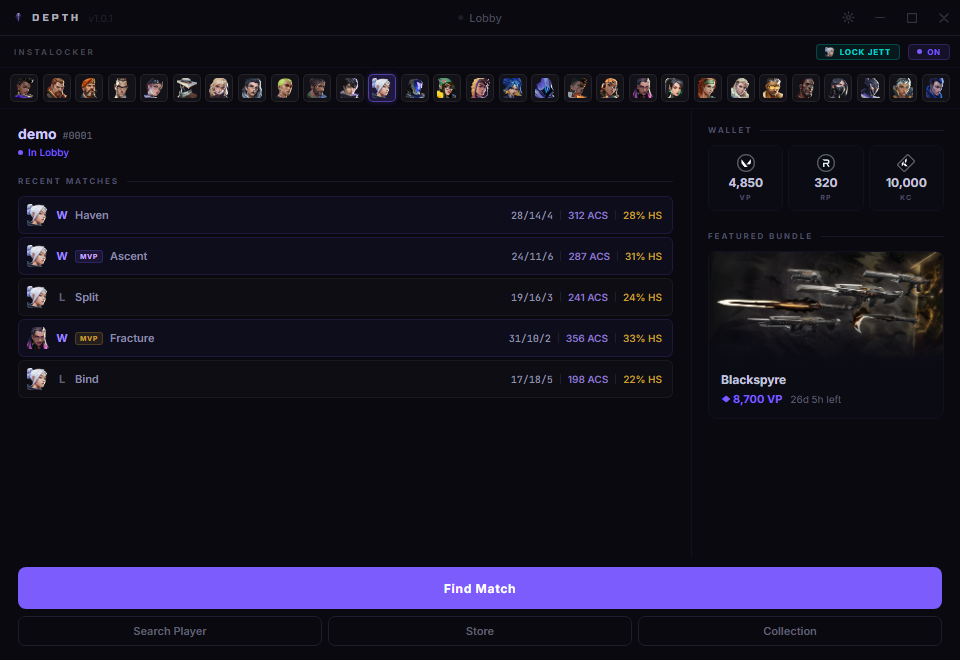
Identity & status
Your Riot ID, tag and queue status, including how long you've been waiting.
Recent matches
Last 5 competitive matches with agent, result, K/D/A, ACS and headshot %.
Wallet
VP, Radianite and Kingdom Credits pulled live from your account.
Featured bundle
The current bundle name, VP cost and time left, without opening the store.
Search PlayerStoreCollection
02 · QUEUE
Queue without leaving
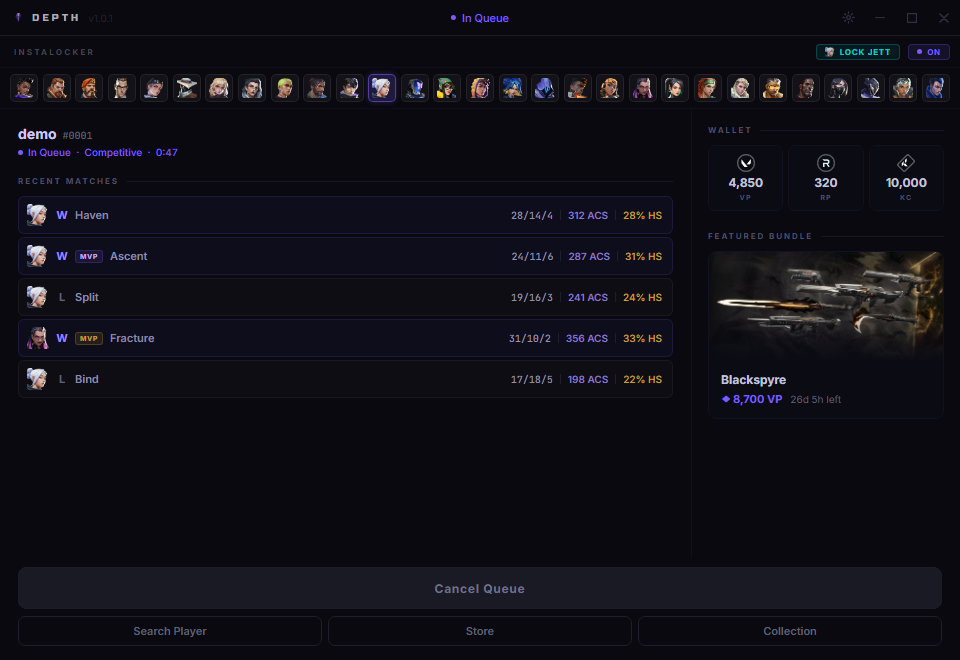
Hit Find Match directly from Depth. The queue timer counts up and the mode is shown, so you know what's going on without tabbing back to Valorant.
Live queue timer
Seconds count up from the moment you enter the queue, updated every second.
Queue mode
Competitive, Unrated, Spike Rush and all other modes labelled automatically.
Cancel from here
Cancel the queue with one click, no need to open Valorant.
03 · AGENT SELECT
Read the lobby before you lock
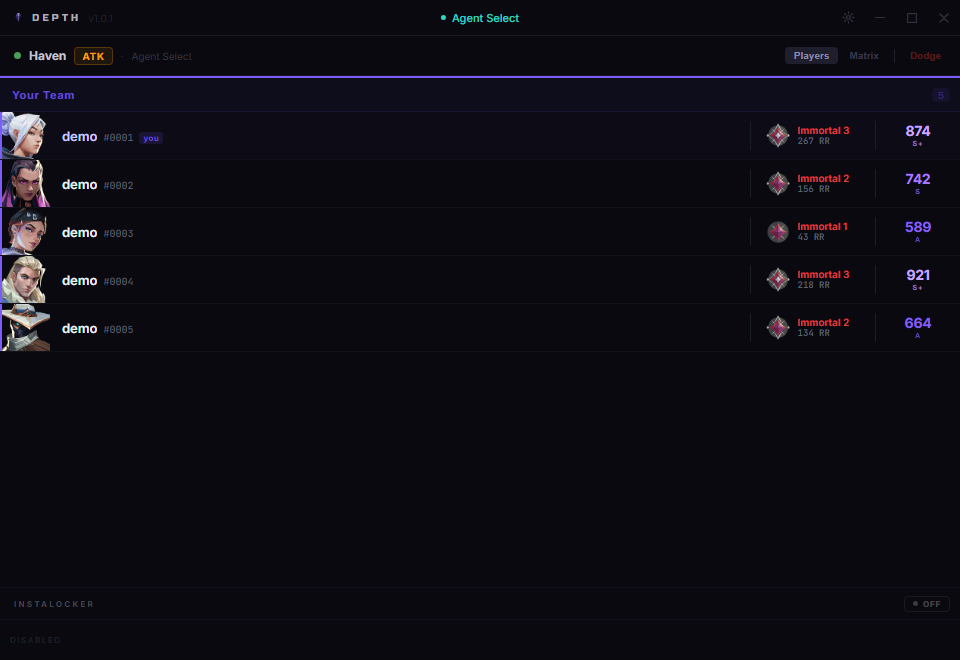
When agent select starts, Depth shows your whole team with rank, RR and Depth Score. You can see what you're working with before you pick.
Rank & RR
Current rank and rating shown for every player on your team the moment agent select loads.
Depth Score
A single number built from ACS, K/D, round win rate and damage delta. Tells you how strong a player actually is.
Matrix view
Switch to a grid showing every ally's recent match history against each other to spot premades.
Dodge
One-click dodge button in the header if you decide the lobby isn't worth playing.
InstalockerPlayers viewMatrix viewUser tags
04 · IN GAME
Track every player, live
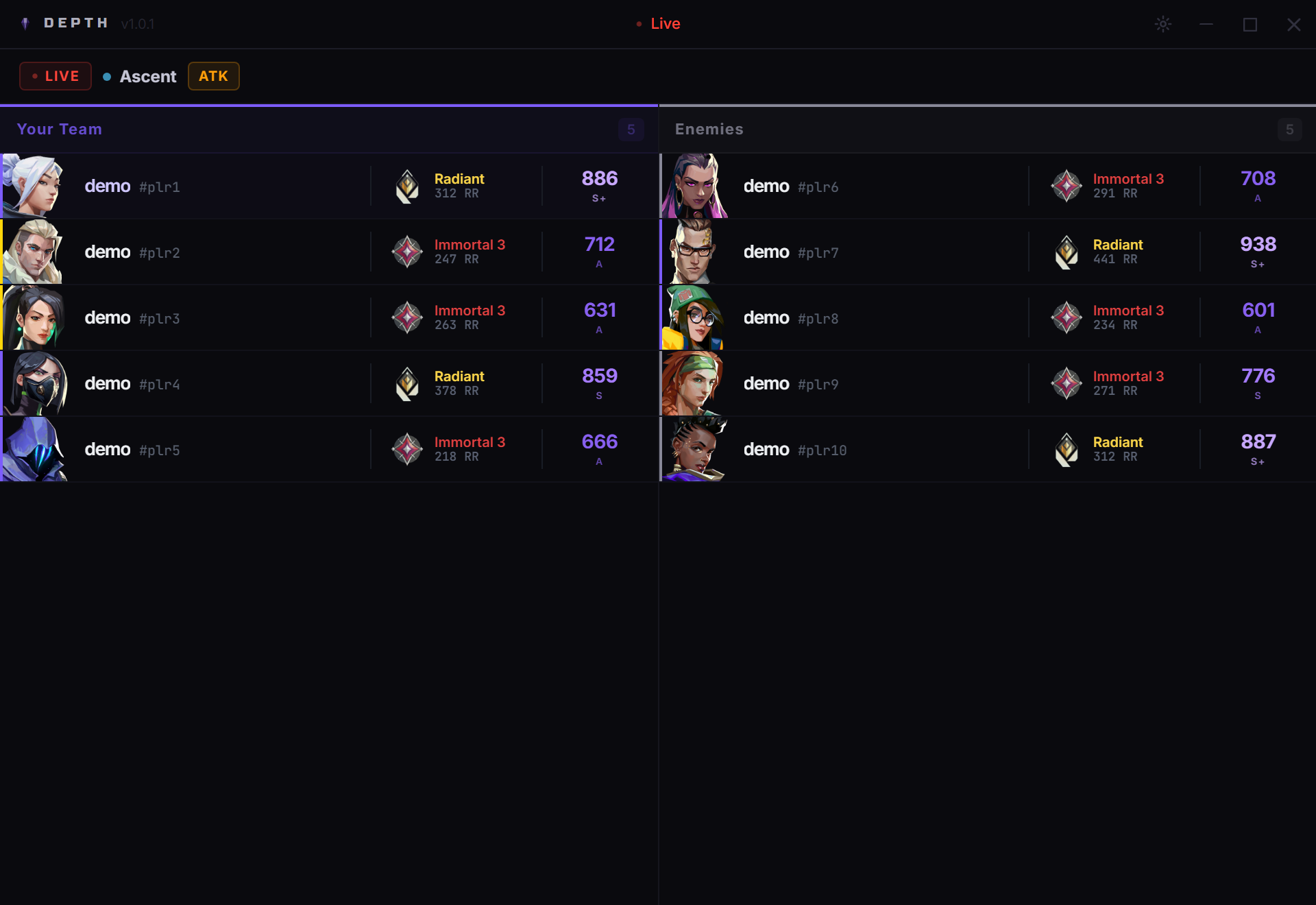
Once the match goes live, Depth shows both teams side by side with rank, RR and Depth Score. Click any player to open their full profile and recent match history without pausing the game.
Live indicator
A pulsing red dot in the header confirms the match is live and data is current.
Both teams
Allies on the left, enemies on the right. Every player's rank and score in one view.
Player profiles
Click any row to open a detailed modal with their tracker stats and recent competitive matches.
Map & side
Current map and your starting side (ATK / DEF) shown in the header bar.
05 · SETTINGS
Control what you see
Toggle Auto Rank and Auto Depth Score to balance detail against API usage. All data is fetched from the HenrikDev API, cached locally and refreshed automatically.
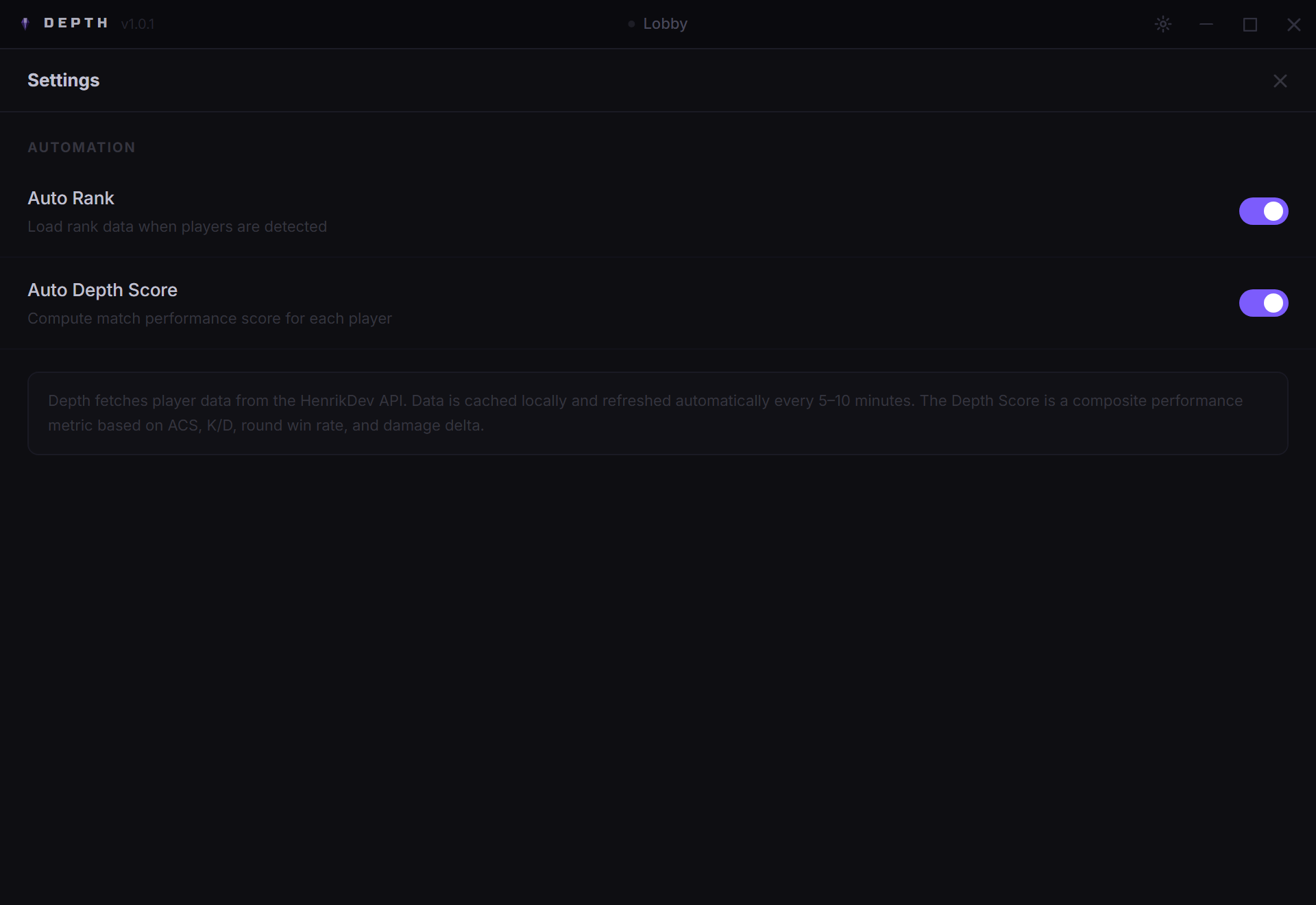
Auto Rank
Automatically fetches rank for every player when a new lobby or game is detected.
Auto Depth Score
Fetches and computes the Depth Score on top of rank data. Toggle off to reduce API calls.
Seamless updates
New versions download in the background. When it's ready a banner shows up and you restart with one click.
Ready to try it?
Free. No account required. Connects to your Riot client automatically.